



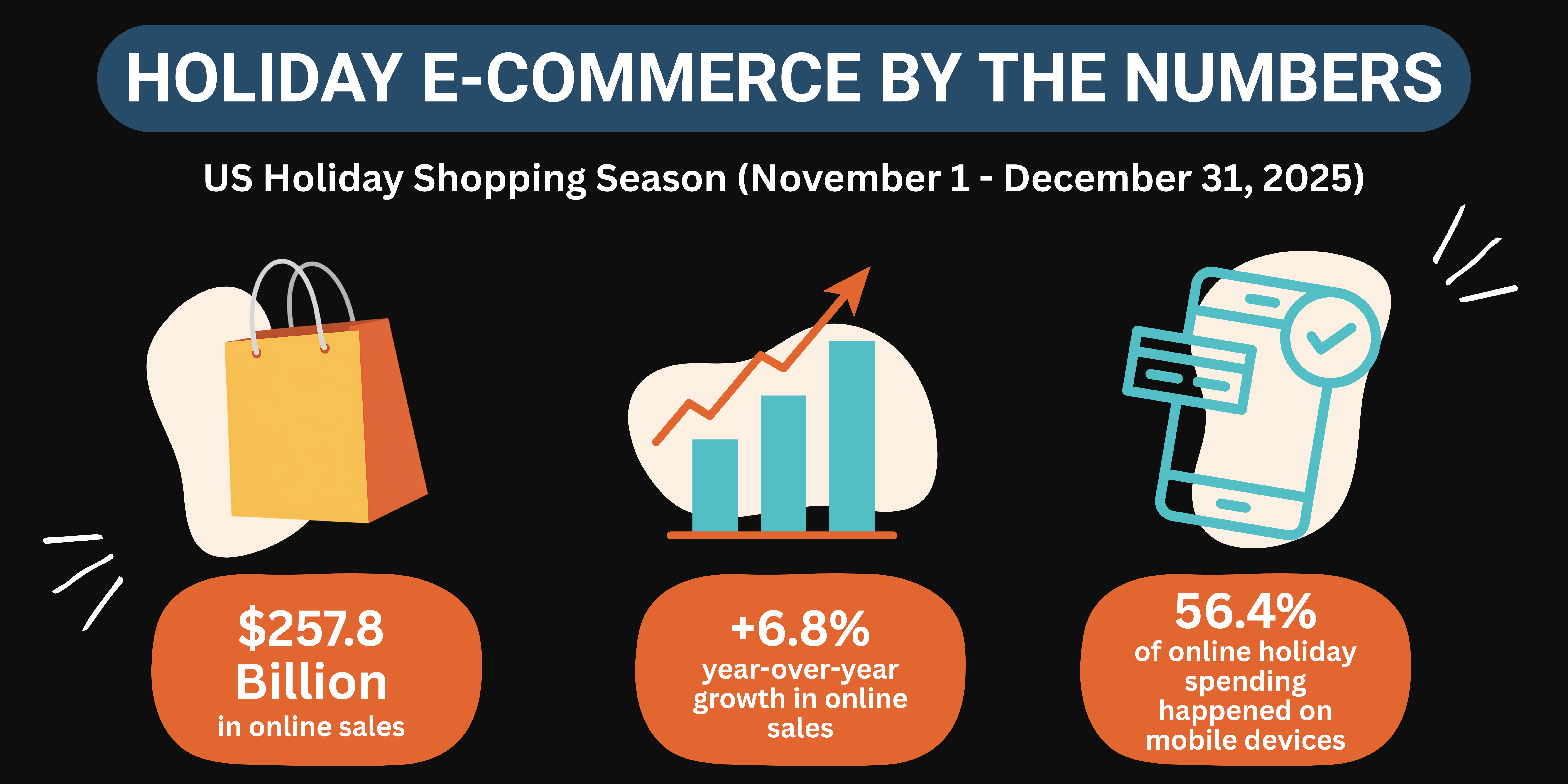
The holiday shopping season is one of the busiest times of year for online retailers. In 2025, U.S. retail e-commerce sales reached $1.23 trillion, accounting for 16.4% of total retail sales. During the holiday season alone, shoppers spent $257.8 billion online, a 6.8% increase from the previous year.
With more customers shopping online and using mobile devices, AI-powered tools, and digital payment options, retailers need to make sure every part of the shopping experience works together. A smooth online purchase depends on much more than a well-designed website. Behind every product search, checkout, and order confirmation are multiple systems that need to work reliably.
Here's a closer look at what goes into an e-commerce experience and what retailers should consider as they prepare for the holiday shopping season.
Understanding the Online Shopping Experience
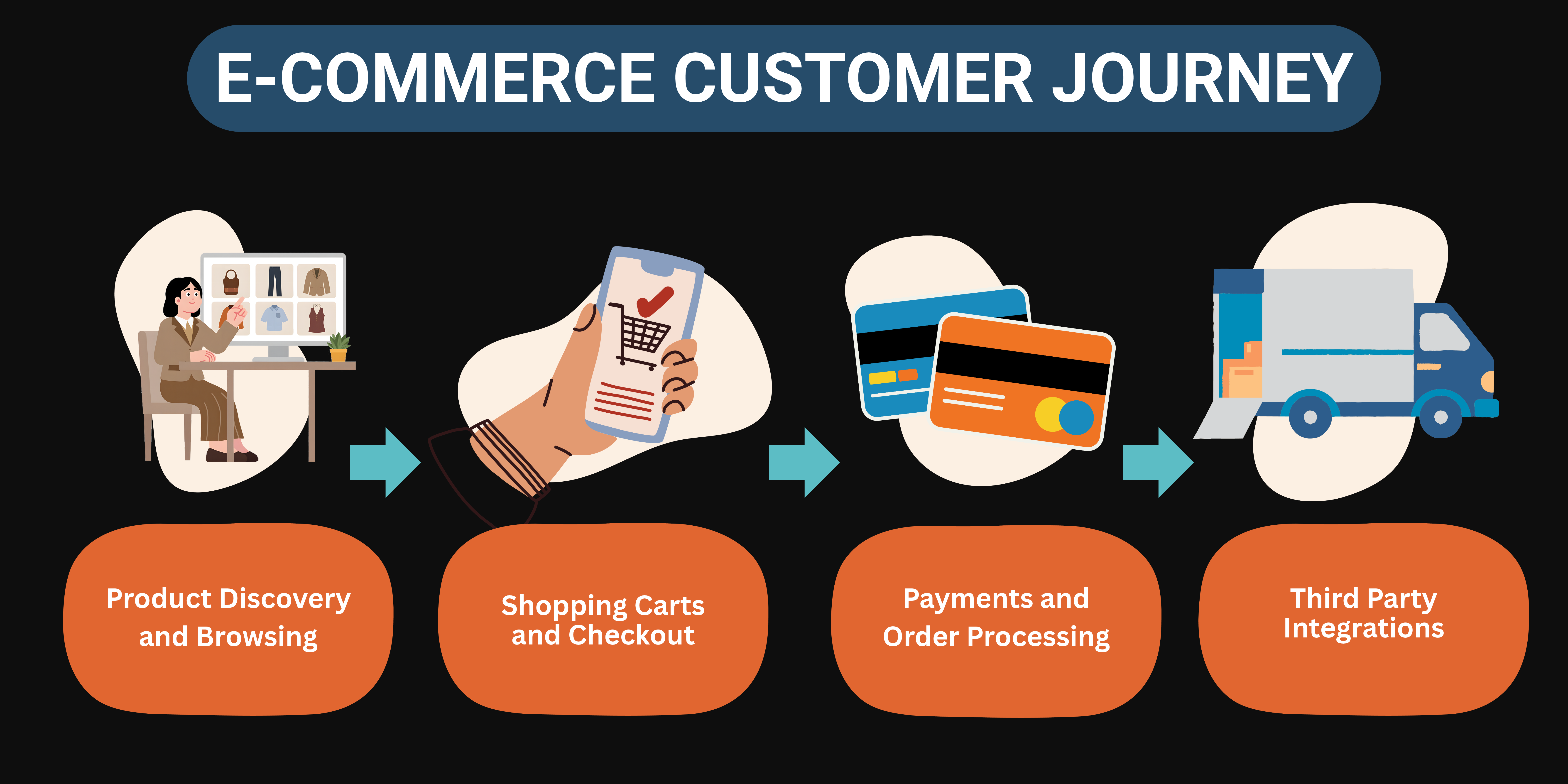
An e-commerce website may look simple from a customer's perspective, but several processes and systems work together to make an online purchase possible. From browsing products to receiving an order confirmation, each step needs to function as expected.
Product Discovery and Browsing
The shopping experience starts when customers arrive at a website and begin looking for what they want. They may browse product categories, use search filters, compare items, or follow personalized recommendations.
Retailers need to make sure product pages display accurate information, images load correctly, search results are relevant, and filters work as expected. If customers can't find what they're looking for or product details are incorrect, they may leave before making a purchase.
Shopping Carts and Checkout
Once customers find something they want, they expect to add it to their cart and move through checkout without unnecessary friction.
This part of the experience involves several steps, including updating cart quantities, applying discount codes, calculating taxes and shipping, entering customer information, and selecting delivery options. Even a small issue, like a discount code that won't apply or a checkout button that doesn't respond, can interrupt a purchase.
Testing the entire checkout process helps identify issues before they affect customers.
Payments and Order Processing
After a customer submits an order, the website needs to communicate with payment providers and order management systems to complete the transaction.
Payment options may include credit cards, digital wallets, and other third-party payment services. Retailers need to make sure transactions process correctly, customers receive accurate confirmation messages, and orders are recorded properly.
Testing these steps helps catch issues such as declined payments being handled incorrectly, duplicate charges, or orders that fail to appear in a retailer's system.
Third-Party Integrations
Many e-commerce websites rely on outside services to support the shopping experience. These can include payment processors, shipping providers, inventory management platforms, customer relationship management tools, and marketing services.
Because these systems need to communicate with one another, an issue with one integration can affect several parts of the customer journey. For example, incorrect inventory information could allow a customer to purchase an item that is no longer available.
Testing these connections helps ensure information is shared accurately and that the overall shopping experience stays consistent.
How AI Is Changing Online Shopping
AI is becoming a bigger part of how customers discover products, get recommendations, and interact with online retailers. Many e-commerce websites now use AI-powered chatbots and virtual assistants to answer questions, help shoppers find products, provide personalized recommendations, and offer support throughout the purchasing process.
These tools can make shopping more convenient, but they also introduce new things retailers need to consider. A chatbot that provides incorrect product information, misunderstands a customer's question, or can't help with a basic order issue can create frustration instead of improving the experience.
AI is also changing how customers find products in the first place. Generative AI tools are increasingly directing shoppers to retail websites. Saras Analytics reported that traffic to U.S. retail websites originating from generative AI services increased 693.4% during the 2025 holiday shopping season.
As these tools become more common, retailers should consider how AI features fit into the customer journey and test them just like other parts of the website. This includes checking that recommendations are relevant, chatbot responses are accurate, and customers can still easily access the information or support they need.
Making Online Shopping Accessible
A successful online shopping experience should be accessible to everyone. Customers interact with websites in different ways, and some rely on assistive technologies such as screen readers, keyboard navigation, voice controls, and screen magnification to browse and make purchases.
If an e-commerce website isn't designed with accessibility in mind, customers may encounter barriers that make it difficult to find products, understand information, or complete checkout. Even small issues can create unnecessary obstacles.
Accessibility testing helps identify these problems and make sure customers can navigate the entire shopping experience. Some important areas to consider include:

Screen reader compatibility: Check that screen readers can accurately interpret page content, product details, navigation menus, buttons, and form fields.

Keyboard navigation: Make sure customers can move through the website and complete purchases using only a keyboard, without needing a mouse.

Images and product descriptions: Confirm that meaningful images have descriptive alternative text so customers using screen readers can understand important product information.

Color contrast and readability: Check that text, buttons, and other important elements are easy to see and read.

Forms and checkout: Make sure form fields have clear labels, error messages are understandable, and customers can complete the checkout process using assistive technologies.

Responsive accessibility: Verify that accessibility features continue to work across different screen sizes, devices, and orientations.
Following accessibility guidelines, such as the Web Content Accessibility Guidelines (WCAG), can help retailers create a more inclusive experience. Testing with a variety of assistive technologies and real users can also help uncover issues that might otherwise go unnoticed.
Why Mobile and Cross-Device Testing Matters
Mobile devices play a major role in online shopping. In fact, 56.4% of U.S. online holiday spending in 2025 happened on mobile devices.
Customers may browse products on their phones, add items to a cart on a tablet, and complete a purchase later on a desktop. Retailers need to make sure their websites provide a consistent experience across devices and screen sizes.
Testing on different browsers, operating systems, and devices helps identify issues with layouts, navigation, buttons, images, and checkout functionality. A website that works perfectly on a desktop may have overlapping text, difficult-to-use menus, or checkout issues on a smaller screen.
Real-device testing is especially helpful for identifying problems that may not appear in a simulated environment.

Keeping Customer Information Secure
Online shoppers expect their personal and payment information to be protected. E-commerce websites handle sensitive data, including customer names, addresses, login credentials, and payment details.
Security testing helps identify potential vulnerabilities that could put customer information or transactions at risk. This can include checking login and account access, verifying that sensitive information is handled appropriately, and testing how the website responds to unexpected activity.
A secure shopping experience helps protect customers while building trust in the retailer.
Functional and Regression Testing
As retailers update their websites, add new features, introduce promotions, and make seasonal changes, it's important to make sure existing functionality continues to work.
Functional testing checks that individual features behave as expected, while regression testing helps confirm that new updates haven't caused problems with features that were previously working.
For example, a change to a promotional banner or discount code could unintentionally affect product pages or checkout. Testing after updates helps catch these issues before customers encounter them.
Preparing for a Successful Holiday Shopping Season
A great online shopping experience depends on many moving parts working together. From product discovery and checkout to payment processing, accessibility, and AI-powered features, every step plays a role in helping customers complete their purchases.
The best time to identify issues is before shoppers encounter them. By testing across devices, browsers, integrations, and customer journeys, retailers can find problems early and make improvements before the holiday rush.
At PLUS QA, we help businesses deliver reliable digital experiences through comprehensive software testing. Whether you're preparing for seasonal traffic, launching new e-commerce features, or improving an existing shopping experience, our team can help make sure your website is ready for your customers.
Learn more about our software testing services and how PLUS QA can support your testing needs.
Sources
The following resources were referenced for industry statistics, e-commerce trends, and accessibility guidance:
- MobiLoud – Ecommerce Market Size by Country (2026 Update) – Global e-commerce market figures, including China and U.S. online retail sales.
- Saras Analytics – 25 Ecommerce Growth Statistics for 2026 – Holiday e-commerce growth and mobile shopping statistics.
- Adobe – 2025 Holiday Shopping Season Results – Original Adobe Analytics data on holiday online spending, mobile shopping, and generative AI referral traffic.
- W3C – Web Content Accessibility Guidelines (WCAG) Overview – Official accessibility guidelines and standards for web content.