
.png)



What Happens When You Skip a Manual Accessibility Audit
Shipping day feels familiar. The checks are green, the release notes are ready, and your product moves from build to production with the confidence that comes from having followed the process.
Then usage begins. A checkout stalls partway through. A form submits and returns without a clear next step. Navigation works until it doesn’t, often at the moment your user needs it to be obvious.
On your end, nothing crashes. Logs stay clean. Your support team is bored.
Then you notice usage drops. You receive feedback about a bug. But you don’t have a clear way to reproduce the problem. Your team can’t find it and fix it. And when you run the automated accessibility tools again, they still report everything as fine.
Over time, the pattern widens. More checkouts stall. More people leave, including users who don’t think of themselves as edge cases at all.
Eventually, a deeper review shows what the dashboards never did. Nothing violated a clear rule. The breakdown happened as users tried to move from one step to the next. By then, fixing it means rolling changes back, taking features offline, and explaining to the world why your product was launched prematurely.
Accessibility issues don’t announce themselves early. They stay hidden long enough to compound. Once they do, backtracking is costly and visible. Manual accessibility audits help teams find those problems early, whether a product is preparing for release or already in use.
Why Many Accessibility Issues Are Invisible to Automated Accessibility Tools
Automated accessibility tools are designed to detect rule violations. They’re effective at spotting missing attributes, invalid markup, and other issues that fit neatly into a pass-or-fail model. Used consistently, they form a strong baseline for accessibility testing.
What they can’t do is evaluate whether an experience makes sense when in use.
The World Wide Web Consortium (W3C) is clear on this point:
“There are evaluation tools that help with evaluation. However, no tool alone can determine if a site meets accessibility standards. Knowledgeable human evaluation is required to determine if a site is accessible.”
Many accessibility barriers aren’t found in code errors. They are found in how people move from one step to the next, what the interface tells them, and how a user figures out what to do next. Tools report what they’re designed to report. Human behavior doesn’t always fit those designs.
Why Accessibility Problems Don’t Behave Like Traditional Software Bugs
Traditional software bugs tend to make a lot of noise. A page fails to load. A feature crashes. A form doesn’t submit. Those kinds of errors leave a clear trail for you to investigate.
Accessibility issues offer fewer clues. A user pauses because a step feels unclear. Then they stop and abandon what they’re doing. Your product technically works, but the user is left guessing about the result.
A button may be labeled correctly. A form field may validate as planned. Nothing appears broken in isolation. What’s missing is the expectation that people will hesitate, back up, misunderstand, or take an unintended path. When software behaves differently than expected, teams call it a bug. When people do, the signal is easier to miss.
Automation evaluates individual parts. People experience the whole thing.
What a Manual Accessibility Audit Evaluates That Automated Tools Can’t
A manual accessibility audit focuses on whether someone can complete important tasks from start to finish, not just whether individual elements meet technical criteria.
That typically includes:
- Task completion
Can users complete important tasks from start to finish without guessing or getting stuck? - Focus order
Does navigation follow a sensible order? - Feedback clarity
When something updates, is that change clear to the user? - Error handling
Are errors understandable, and can users recover without getting stuck? - Consistency
Do similar components behave consistently throughout your product?
This approach aligns with W3C’s Website Accessibility Conformance Evaluation Methodology (WCAG-EM), which emphasizes evaluating pages, processes, and how people complete tasks, rather than isolated elements.
Why Accessibility Failures Affect More Than Users With Disabilities
Your product can work exactly as designed and still frustrate many people.
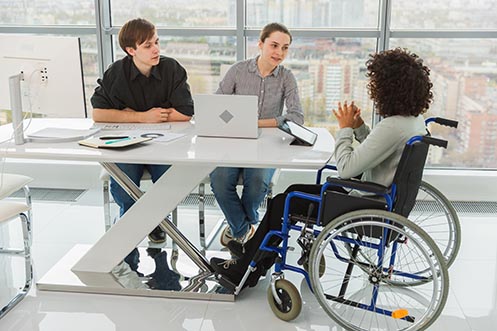
Microsoft’s Inclusive Design research shows that accessibility improvements benefit people with permanent disabilities, temporary limitations, and situational constraints, such as using a device one-handed or in a distracting environment. That includes people dealing with a broken hand, limited mobility from repetitive motion, or moments when attention is pulled elsewhere.
Most products are designed with a narrow picture of how they’ll be used. The design assumes steady attention, clear vision, precise input, and familiarity with the task at hand. When someone approaches your product without one of those conditions, the experience can fall apart.
That’s why accessibility issues don’t stay isolated. Keyboard users encounter them when navigation order isn’t clear. People on smaller screens encounter them when steps require more precision than expected. And people juggling several tasks often miss cues that seemed obvious during design.
One unclear decision in the interface creates multiple ways for people to get stuck. Users who get stuck leave, and they often don’t return, even after changes are made.
Why Accessibility Problems Rarely Show Up in User Feedback
Most users don’t report usability issues when something feels confusing. They adapt, retry, or leave.
Research backs that up. A 2025 study examining why accessibility app reviews are rare found that people often don’t leave accessibility feedback even when a task blocks them:
- They don’t expect feedback to lead to change.
- The effort takes time and energy.
- They aren’t sure how to describe what went wrong.
- They assume the problem is on their end.
- They leave rather than offer feedback.
When feedback does arrive, it’s often vague. Without a clear way to reproduce the problem, these reports are easy to deprioritize, especially when automated tools suggest everything is working.
Manual accessibility audits change that dynamic by turning “something’s not working” into “here’s what’s not working.”
What Happens During a Manual Accessibility Audit
A manual accessibility audit examines how your product behaves when users interact with it. The goal is less about following rules and more about seeing whether people can complete tasks without confusion, hesitation, or guesswork.
A typical manual accessibility audit includes:
- Task completion checks
Auditors attempt real tasks from start to finish, such as creating an account, submitting a form, or completing a checkout. The focus is on whether progress is clear at every step. - Keyboard-only navigation
The product is used without a mouse to confirm that all interactive elements are reachable, usable, and understandable through keyboard input alone. - Screen reader evaluation
Key areas are reviewed using screen readers to ensure structure, labels, instructions, and context are communicated clearly when read aloud. - Navigation order review
Auditors follow a step-by-step process to confirm that movement through the interface matches how a person would reasonably proceed. - Action confirmation and system responses
After an action is taken, auditors check whether the interface clearly explains what happened and what comes next. - Error messaging and recovery
Errors are triggered intentionally to evaluate whether messages are understandable and whether users can recover without restarting or guessing. - Consistency checks across the product
Similar components are compared to confirm they behave the same way and don’t force users to relearn interactions.
Manual accessibility audits bring issues to light early, keep them from compounding, and allow teams to address them before changes become costly or visible.
Manual Accessibility Auditing at PLUS QA
When teams expand what they test beyond automated checks, products tend to be more mature and ready for the world. Yes, automated accessibility testing does provide coverage and consistency. However, manual accessibility audits add depth by evaluating how people complete tasks, how the interface responds to actions, and where users lose their place or stall.
PLUS QA’s Manual Accessibility Audits include testing by accessibility specialists, including testers with disabilities, who encounter these barriers firsthand. That perspective helps teams identify issues that automated tools and checklists miss, and translate them into clear, actionable guidance — whether a product is preparing for release or already in use.
Learn more about PLUS QA’s Accessibility Testing and how it helps teams meet accessibility compliance laws while building products people will use with confidence.